
The age of the password-only login is over
For thirty years, one secret has stood between an attacker and your online accounts: a password. It was built for a world with a handful of accounts and very few threats. Today your hosting account controls your website, your email, your domains and your invoices, and it faces automated guessing, leaked password lists and fake login pages that copy the real one down to the last pixel.
A password can be guessed, reused, leaked or typed into the wrong page. A confirmation from the phone in your hand cannot be copied from a list. That is the principle behind our new sign-in, and it is why we are applying it to every client account, not only to the ones that ask for it.
Military-grade is the standard we set for ourselves: no single secret that opens the door, every entry confirmed on a device you own, and a firm pause after repeated wrong codes.
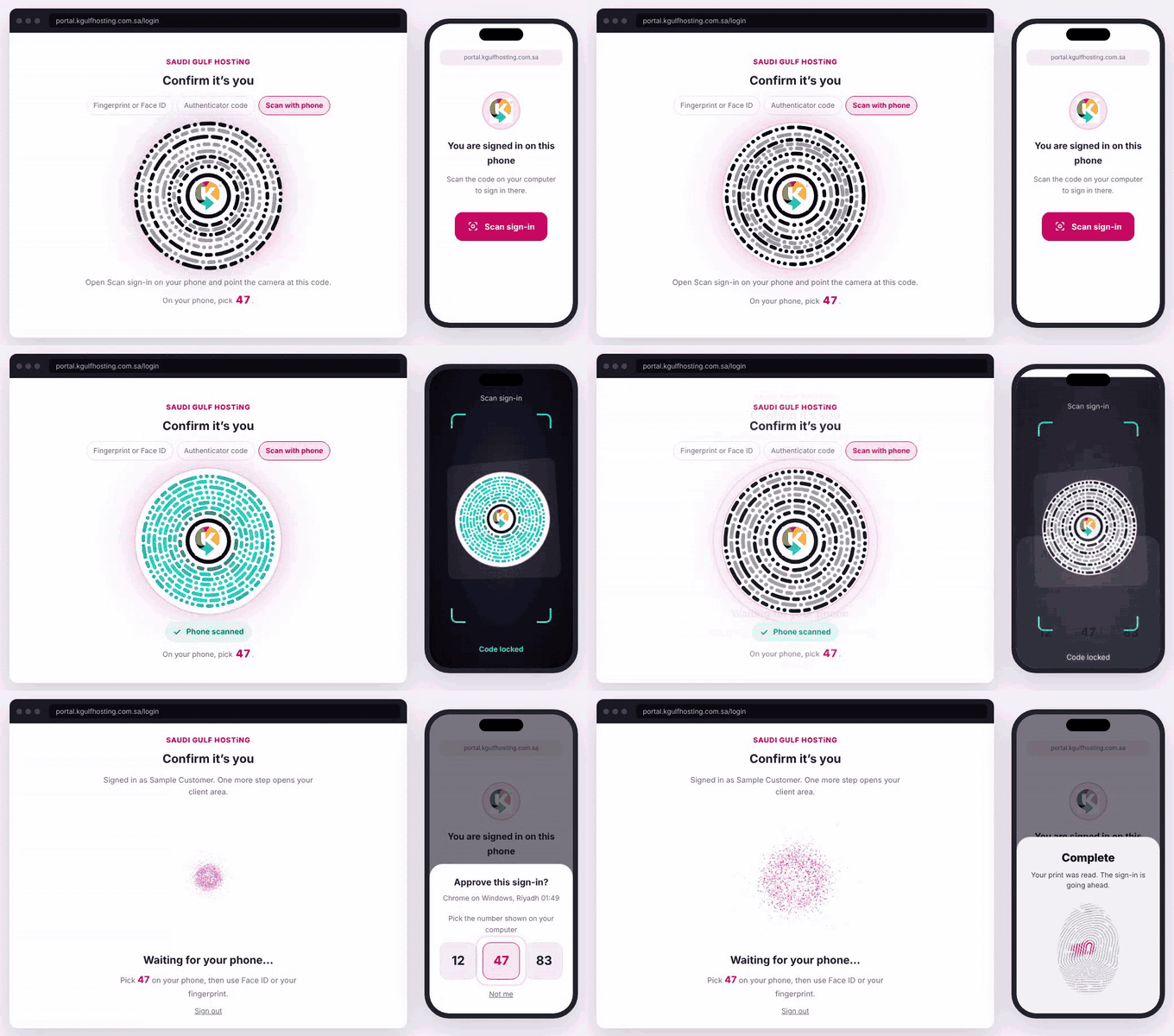
Animation: the whole sign-in in under 20 seconds.
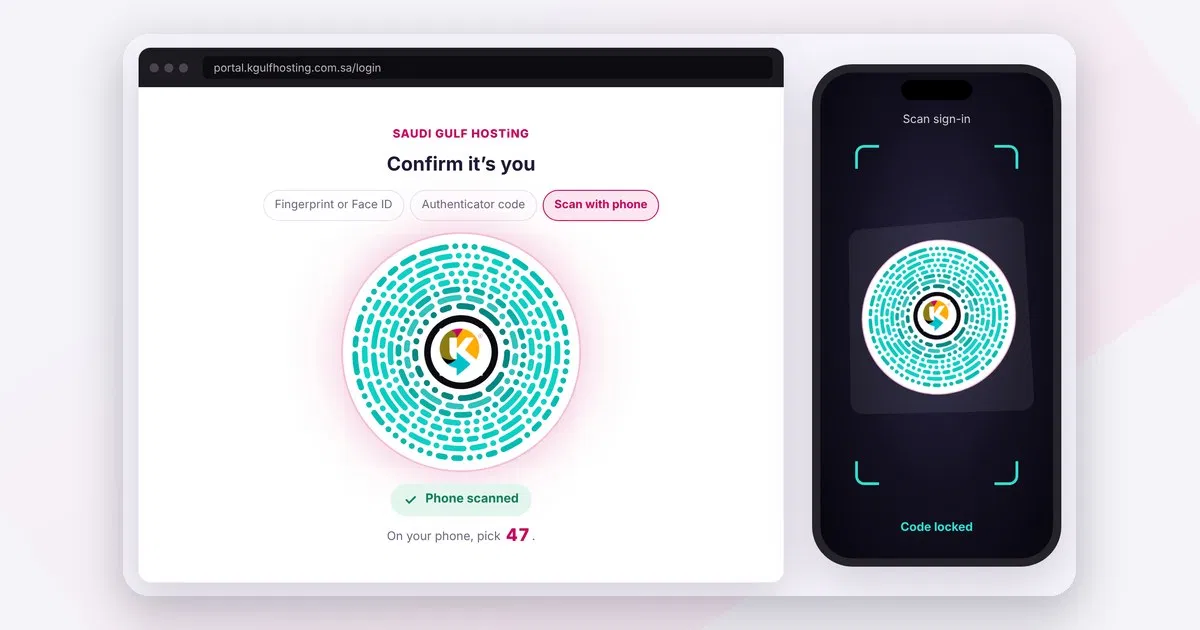
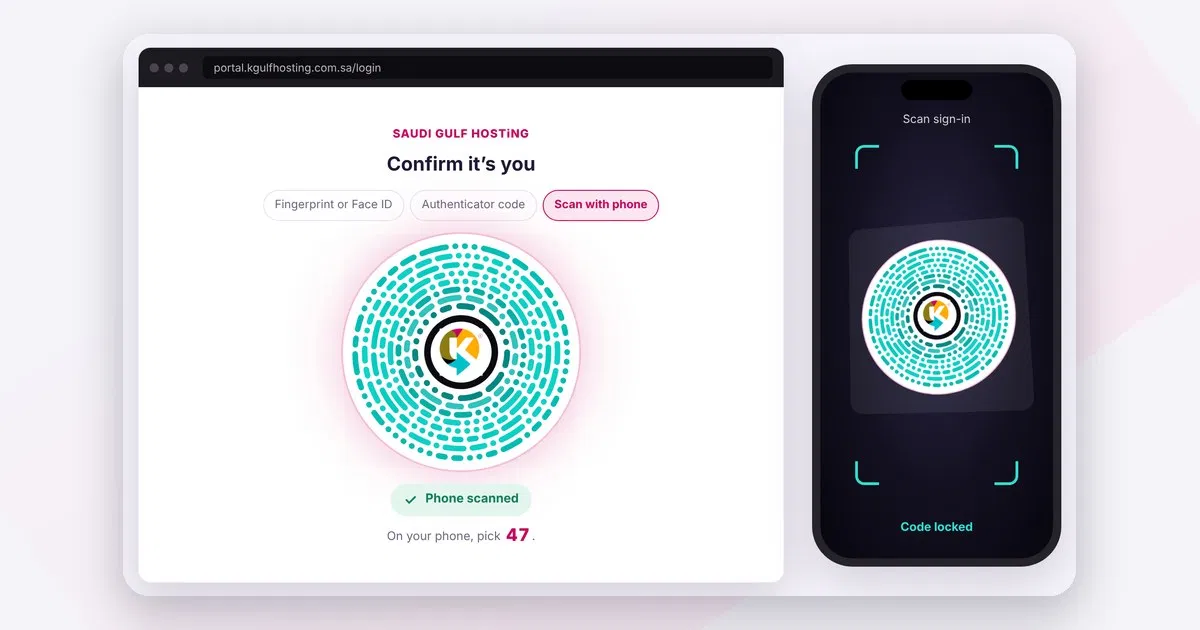
Locked. The screen says Phone scanned.
How the new sign-in works
You still start with your email and password. What follows is new, and it takes seconds.
Step 1: the right method opens by itself
After your password, the page chooses the strongest method your device supports and opens it for you. If your phone or computer has a fingerprint reader or Face ID, that prompt appears on its own. If it does not, a ring code appears on screen for your phone to scan. The six-digit authenticator code is always there as a backup, so you always have a second way in.
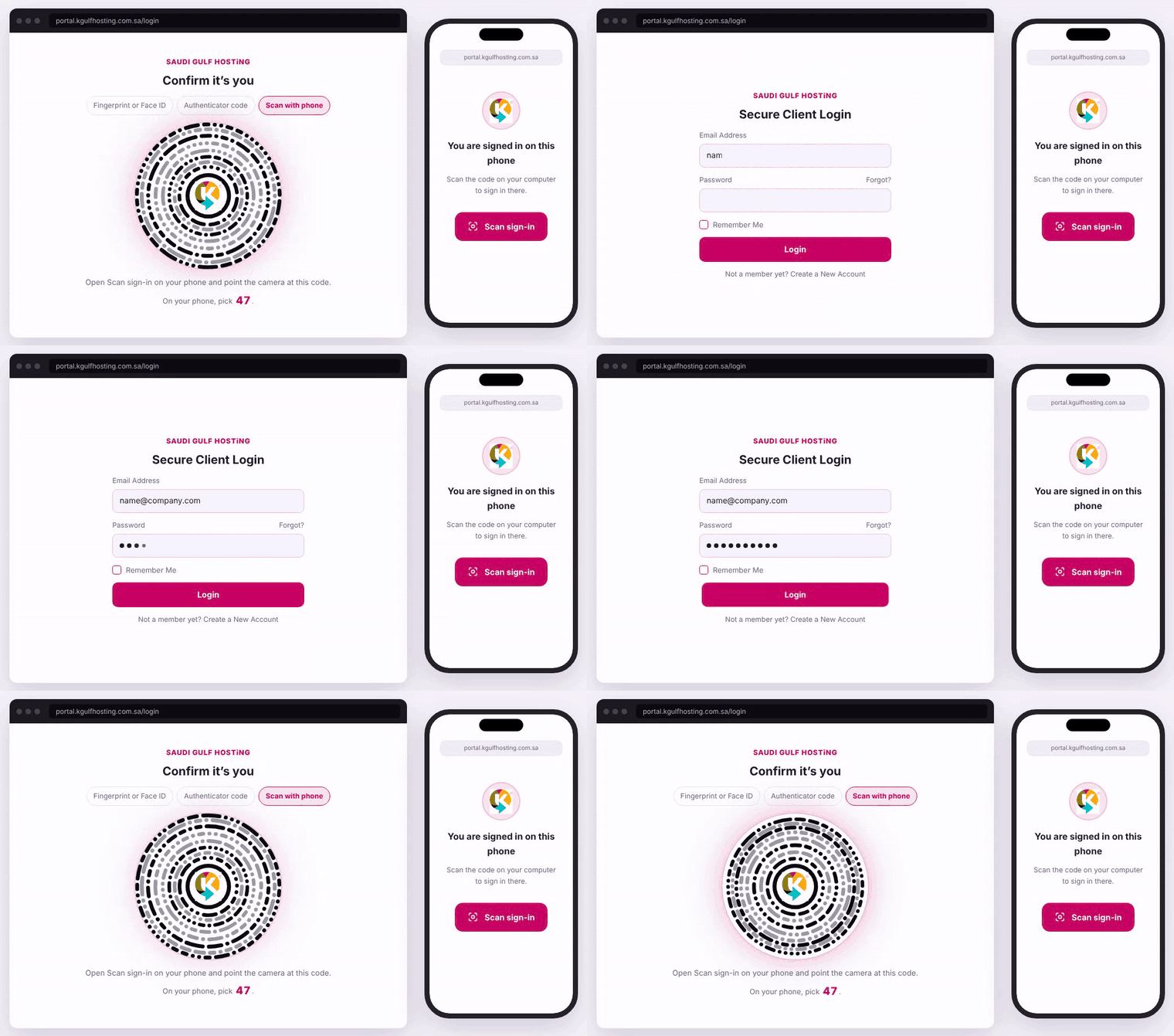
Animation: email and password, then the page opens the method by itself.
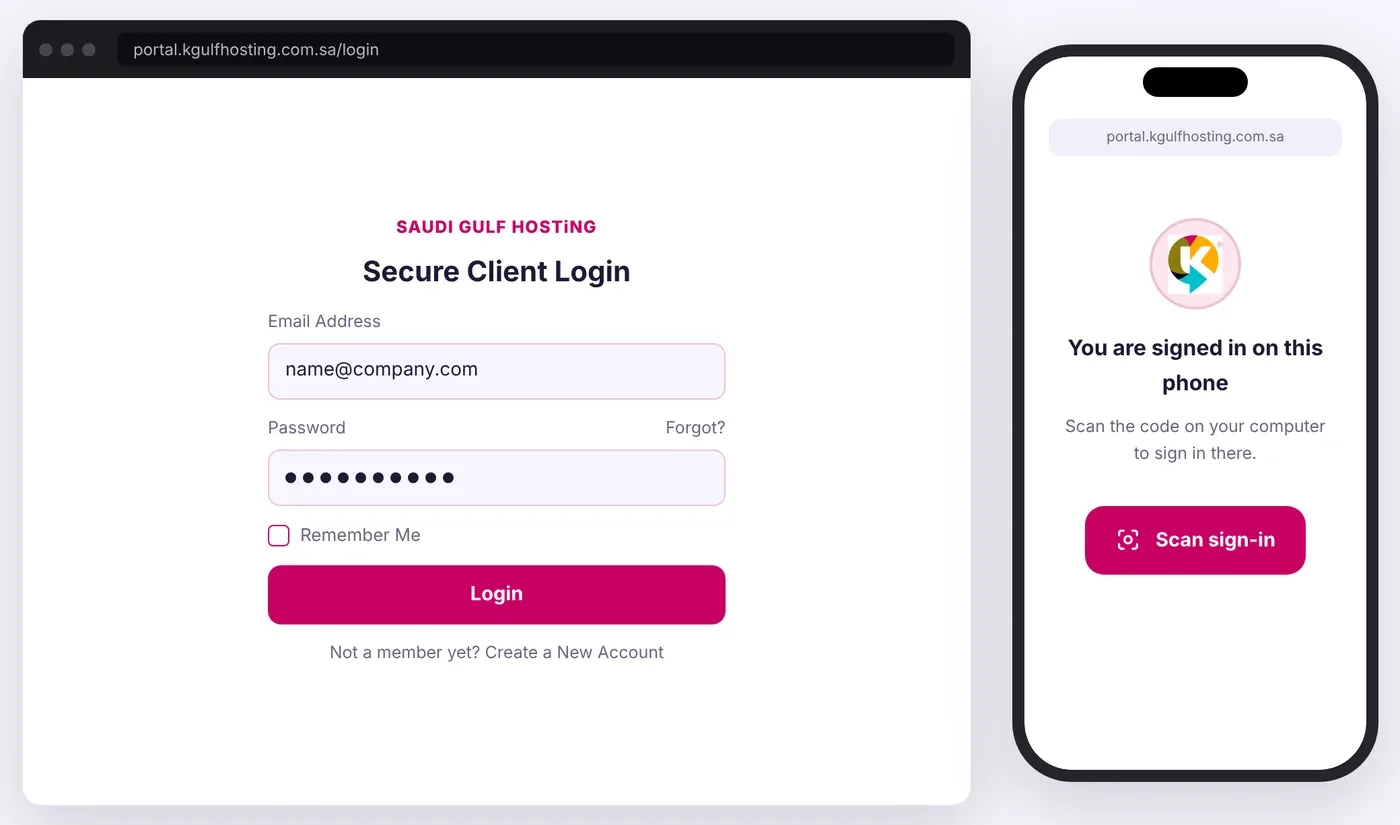
Step 1: email and password, as before.
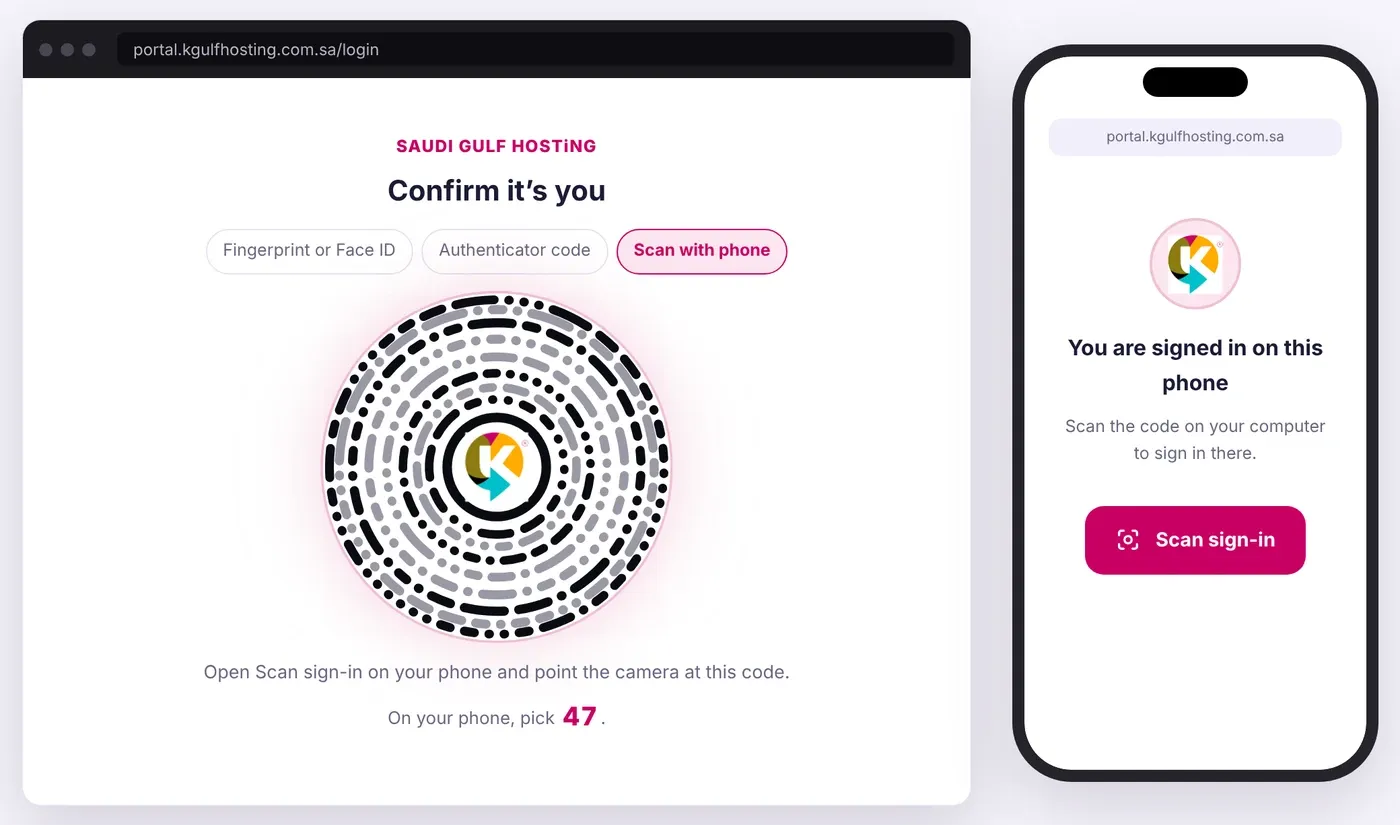
On a device with no fingerprint reader, the ring code appears by itself.
Step 2: scan the ring code and watch it lock
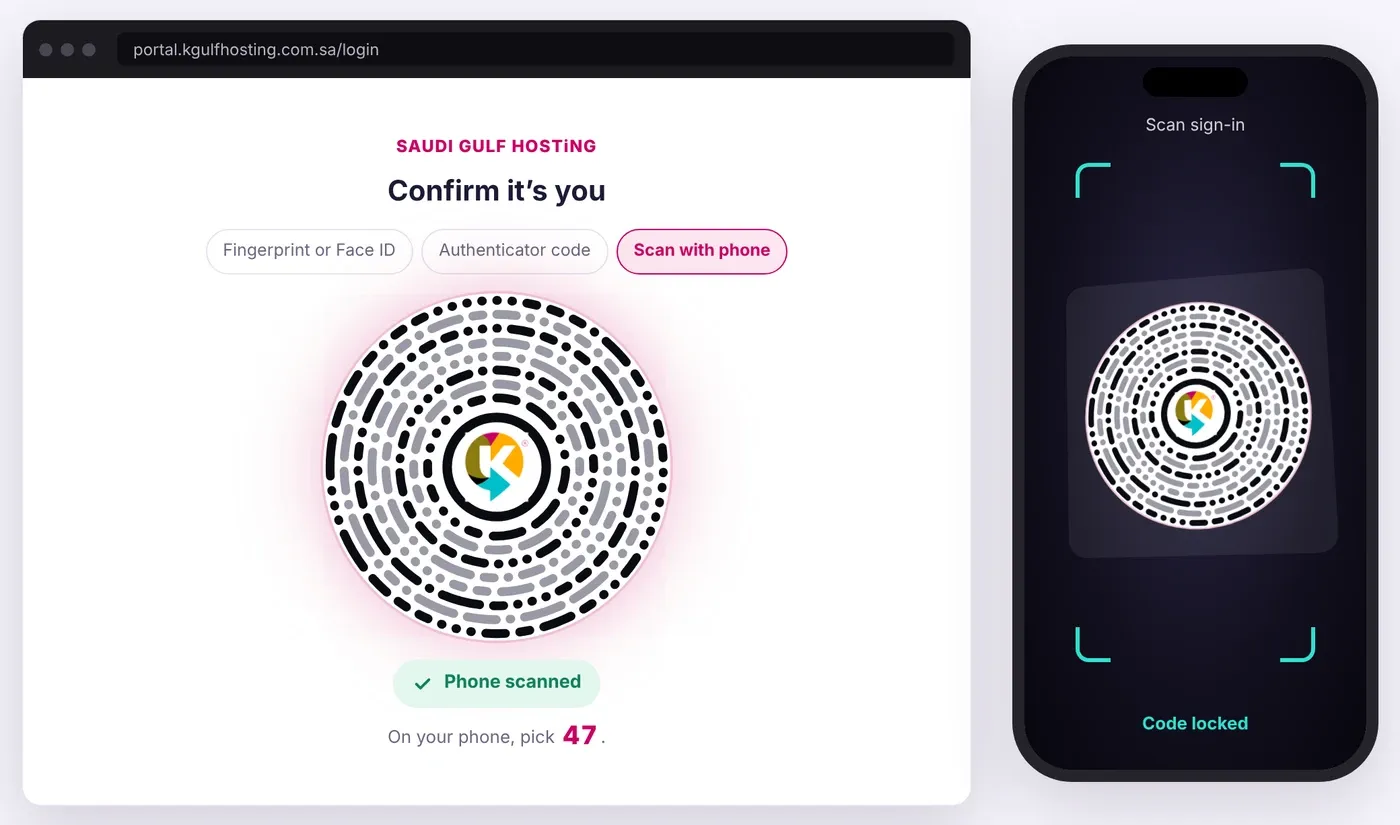
Open Scan sign-in on your phone and point the camera at the rings. When the phone reads them, the rings pull together and lock, and the screen confirms Phone scanned. The camera opens inside the page, so there is no app to install, and it works on iPhone and Android. Each code is used once and expires quickly.
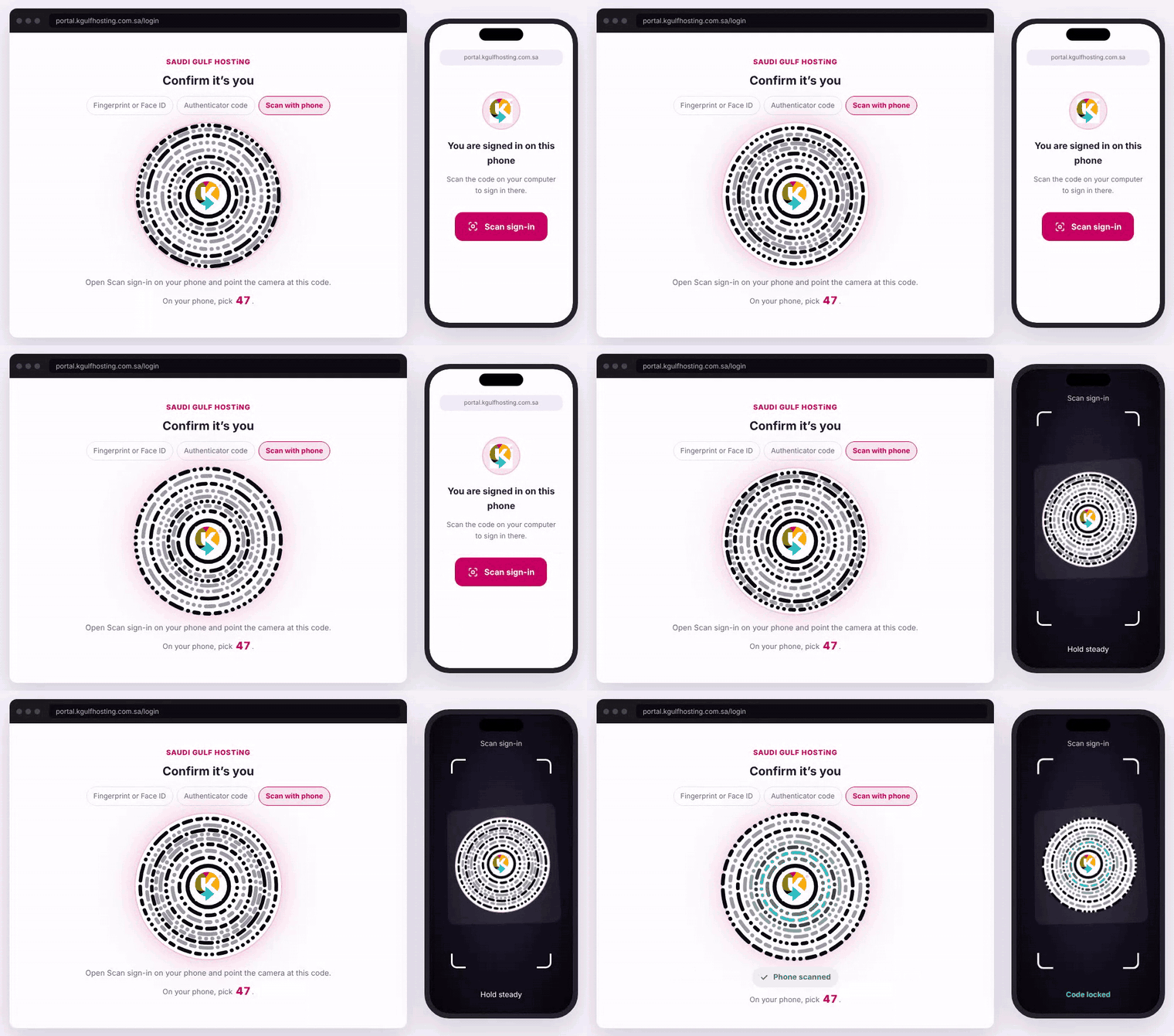
Animation: scan the rings and watch them lock together.
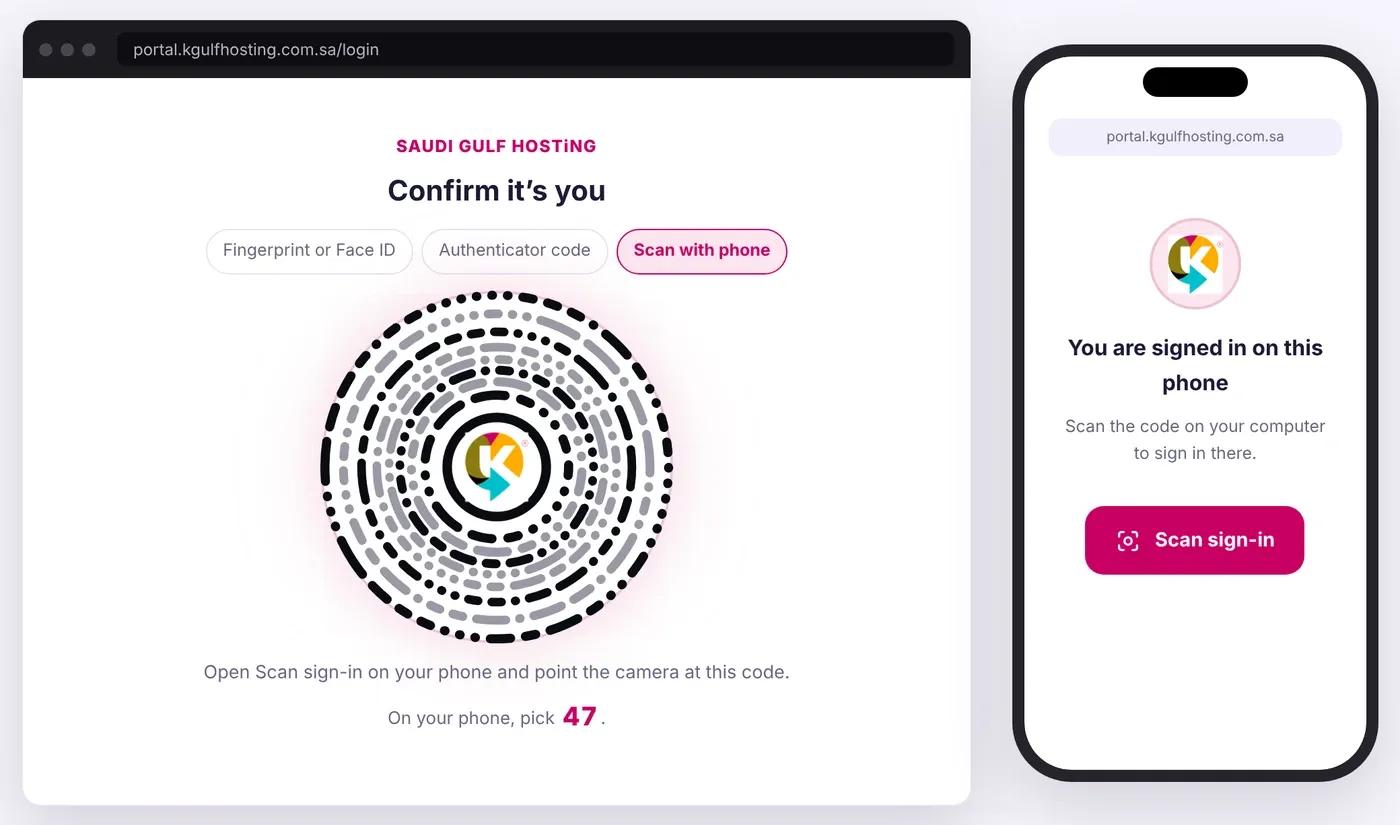
On the phone, tap Scan sign-in.
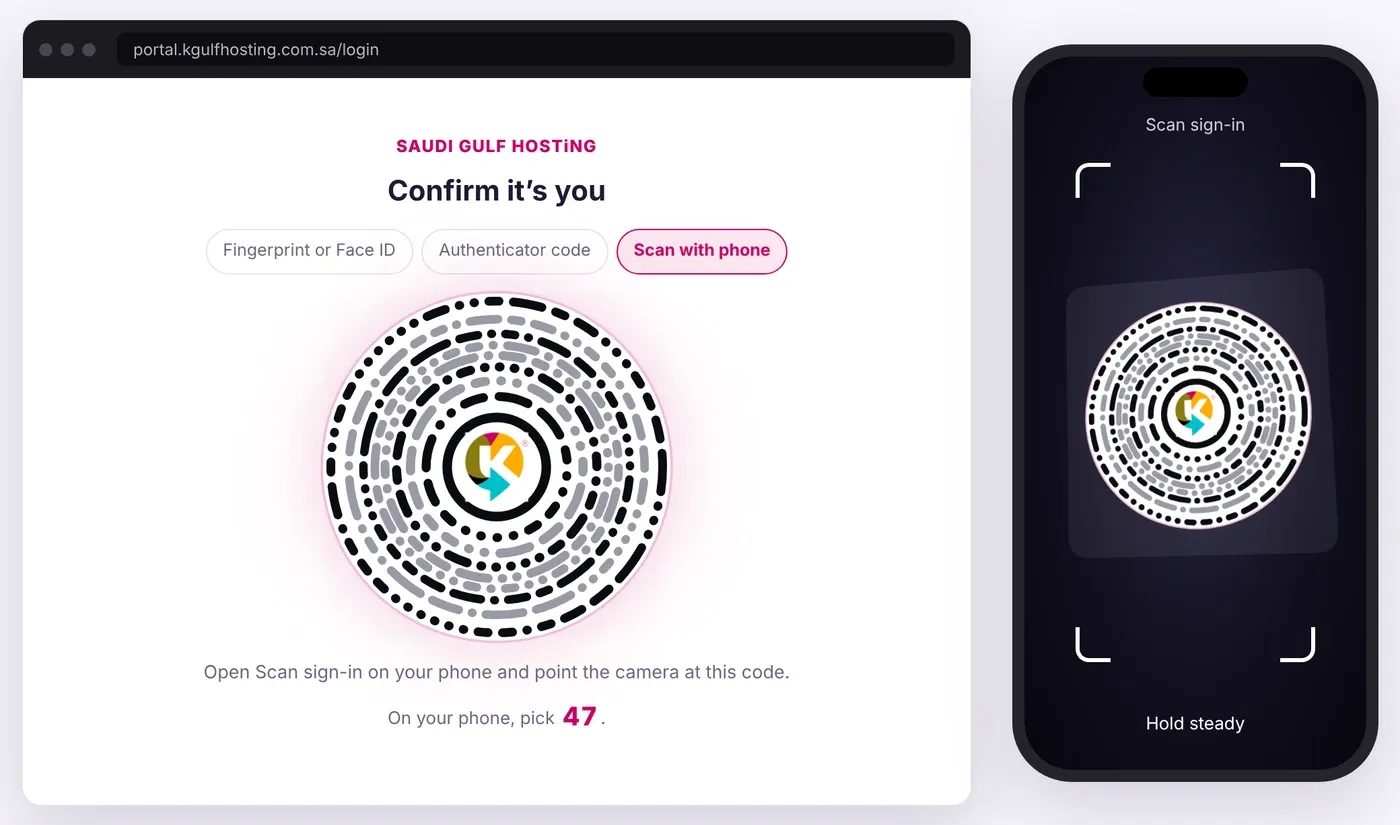
The corners close in as the camera finds the rings.
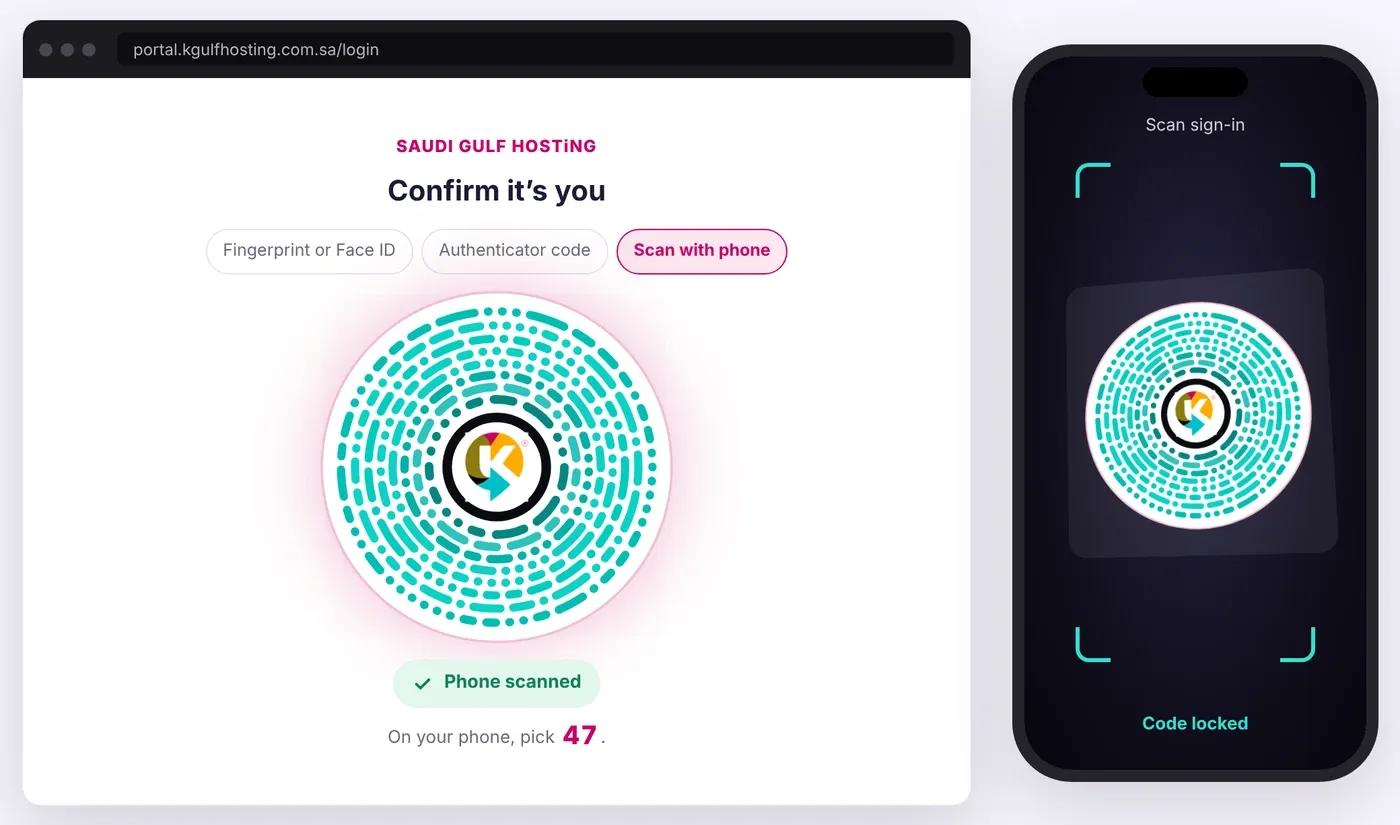
The rings pull together and turn aqua as they lock.
Locked. The screen says Phone scanned.
Step 3: the waiting screen and the number you pick
While your phone asks for approval, your computer shows a waiting screen and a number. Your phone shows three numbers, and you pick the one on your computer. This single check stops anyone from approving a sign-in they did not start themselves.
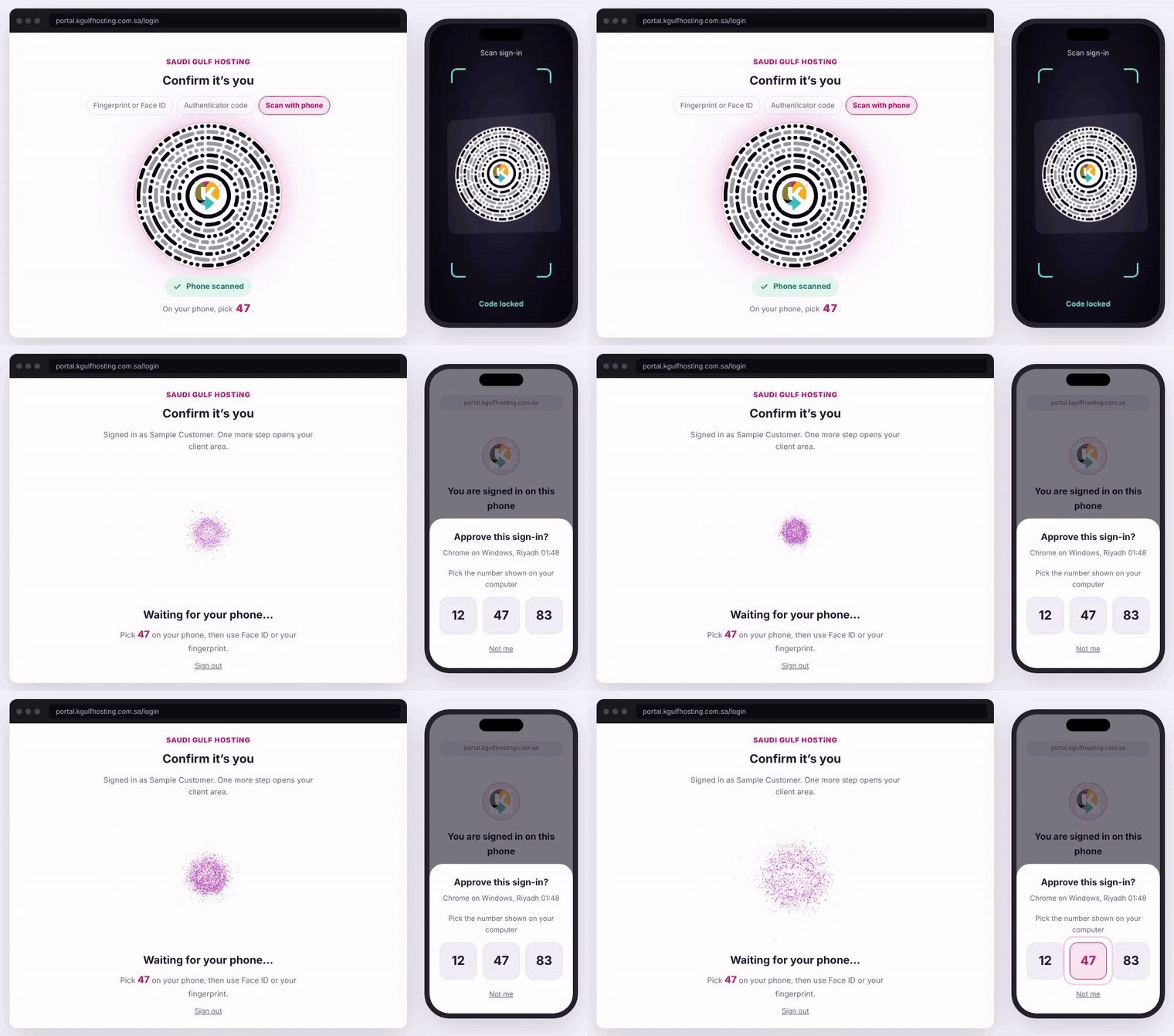
Animation: the waiting screen and the number you pick.
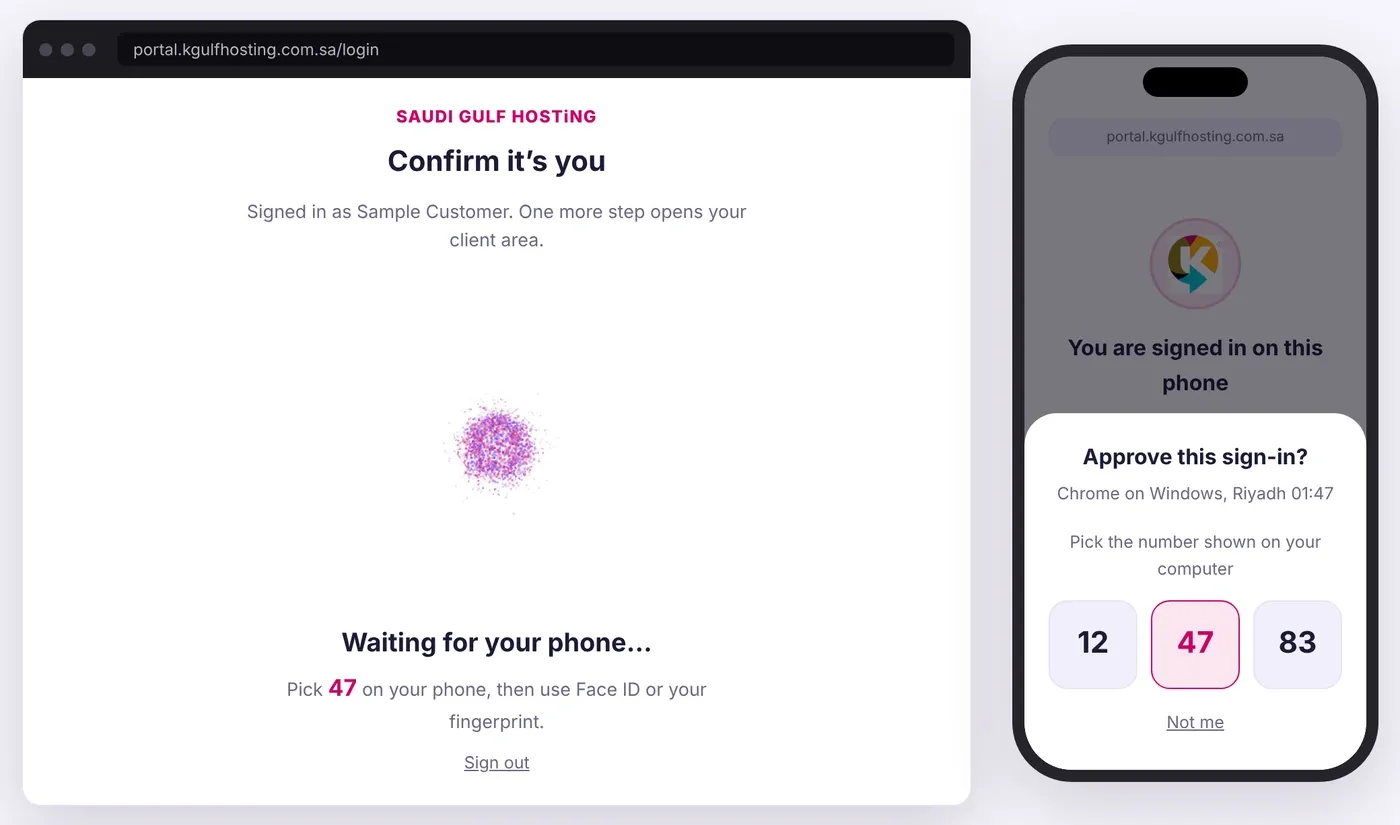
Waiting for your phone. Pick 47 on the phone.
Step 4: your fingerprint or Face ID
Then confirm with your fingerprint or your face. The print fills in as it is read and the word Complete appears. Your fingerprint and your face never leave your phone: we do not receive them and we do not store them.
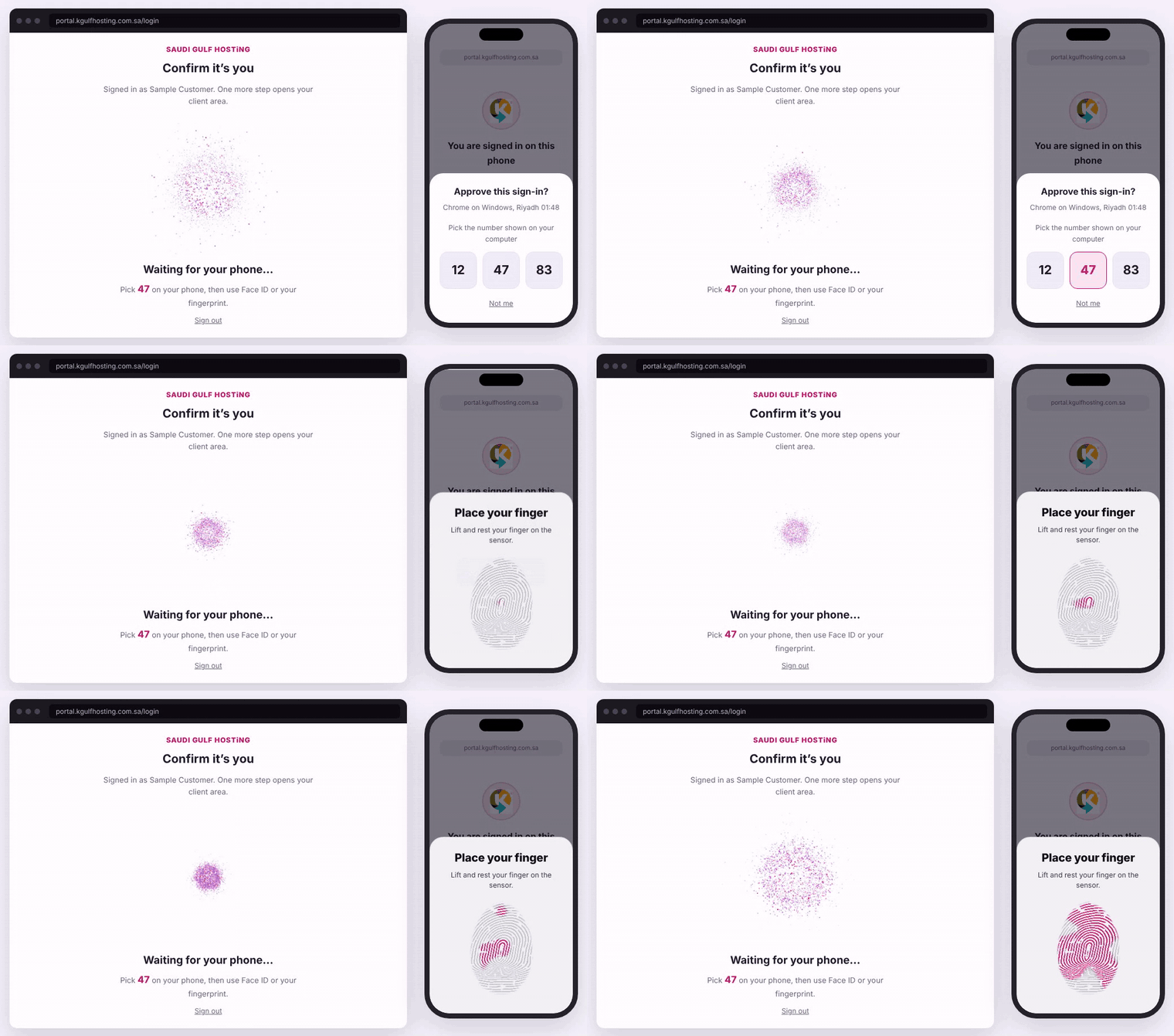
Animation: the fingerprint fills in, then Complete.
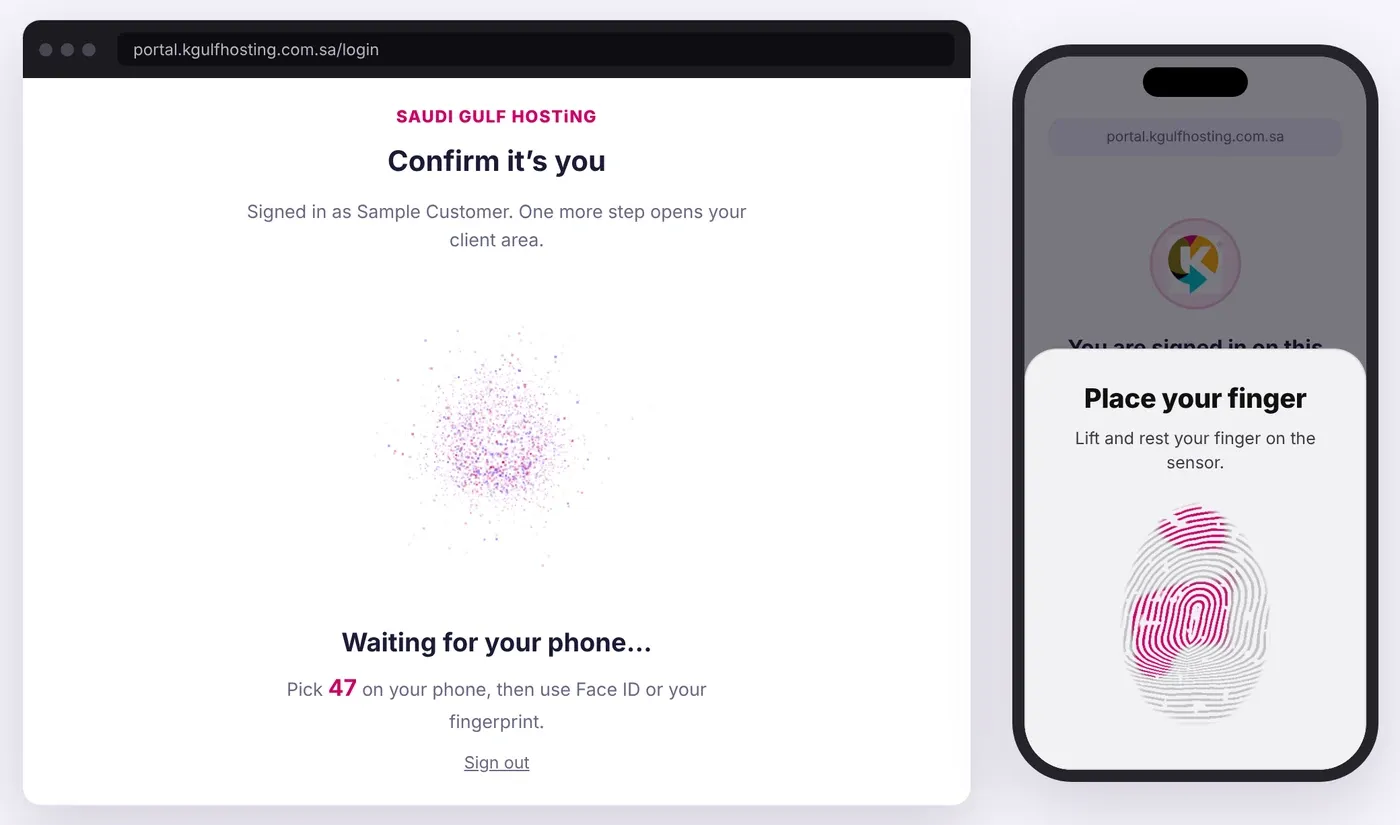
The print fills in with pink as the finger is read.
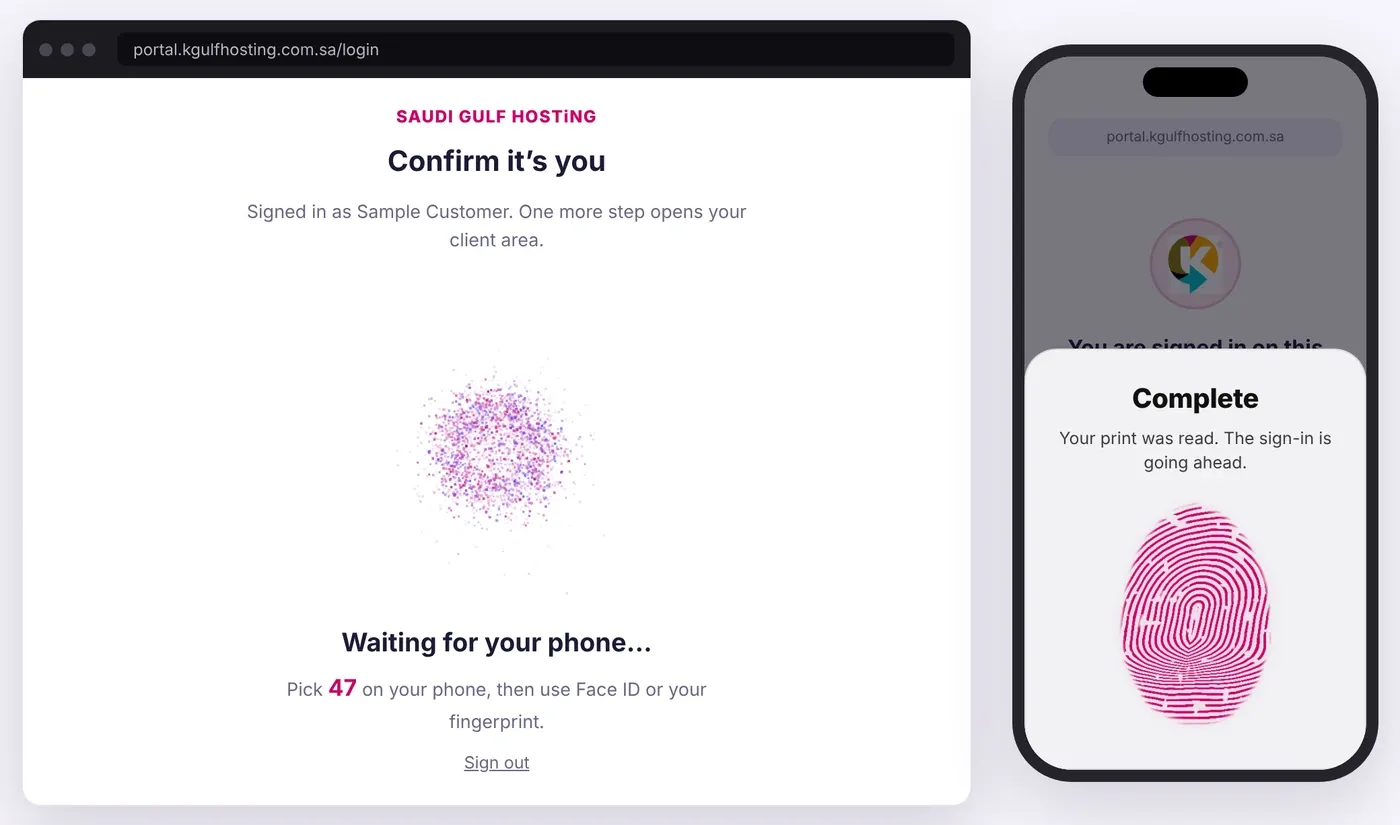
Fingerprint step complete.
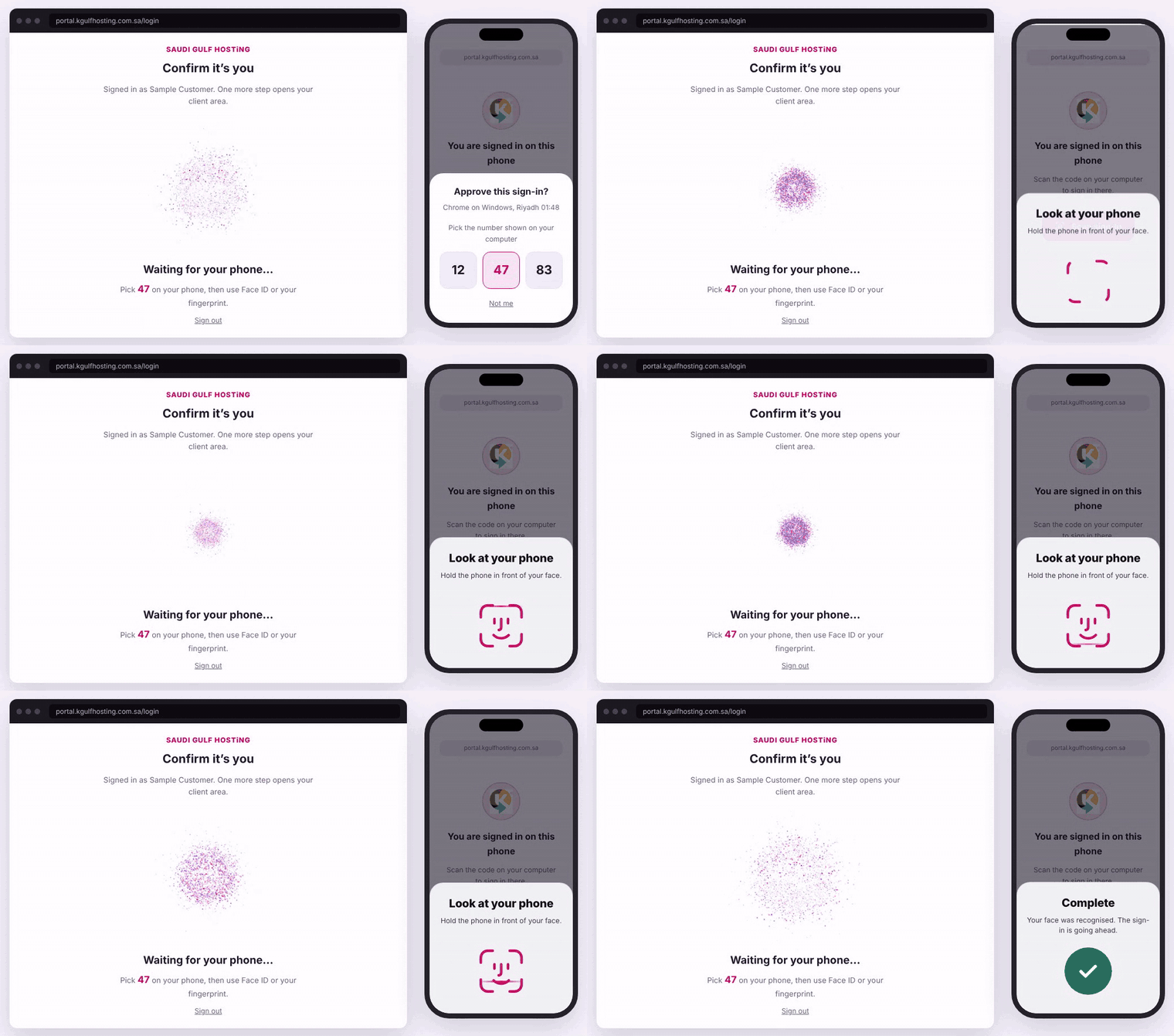
Animation: the same step with Face ID.
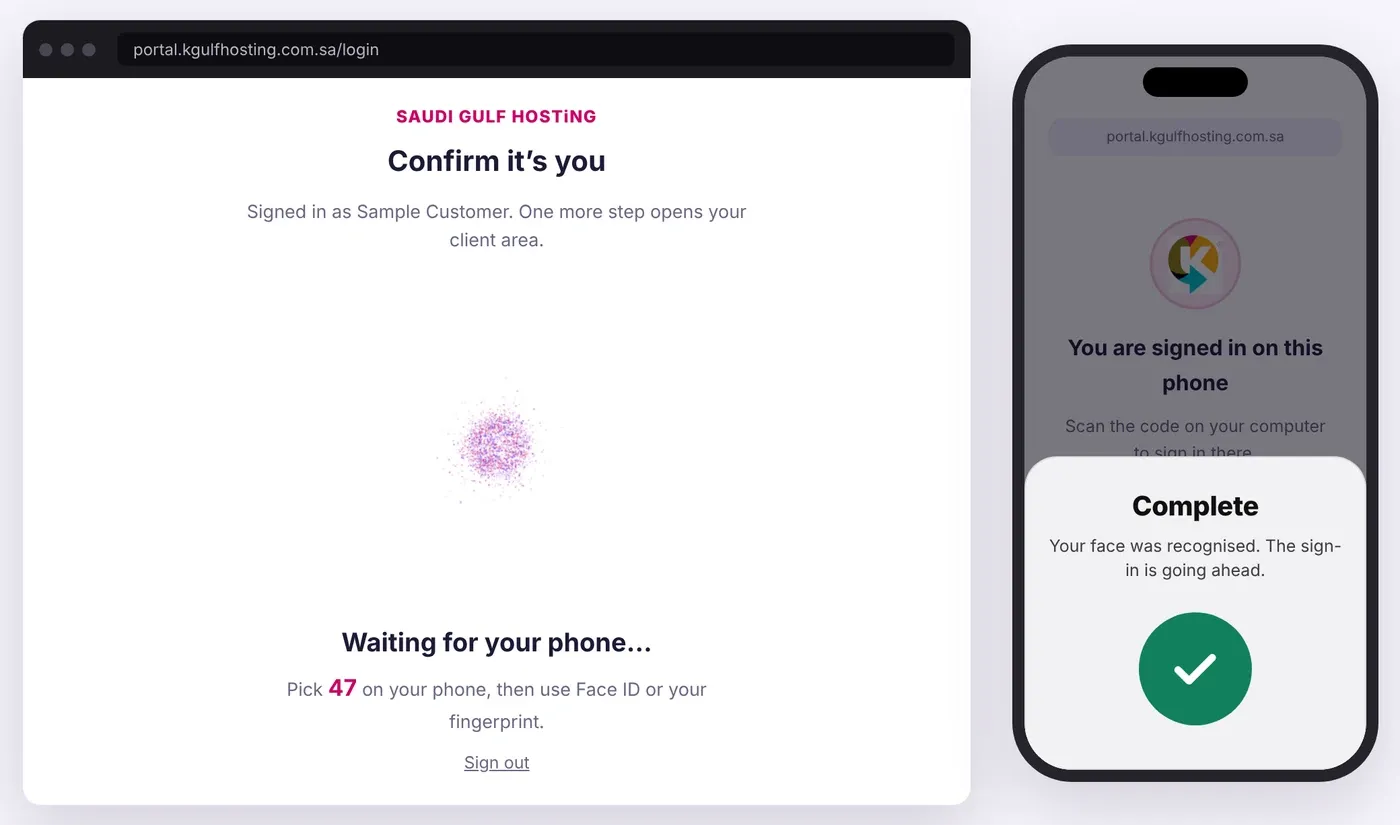
Face ID step complete.
Step 5: you are signed in
Your name appears inside a ring of dots while the sign-in finishes, then your client area opens. The session begins only after your phone has approved it.
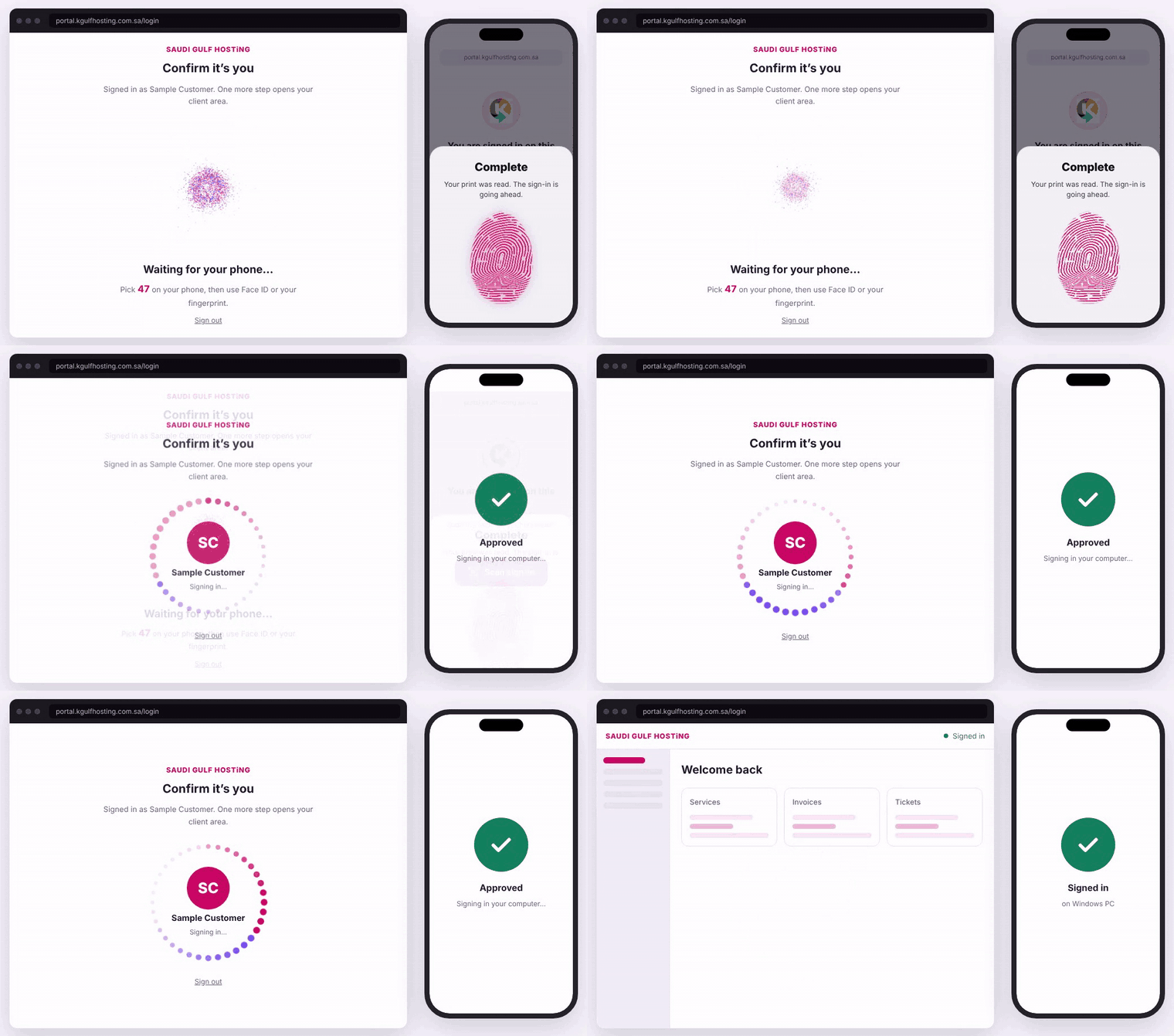
Animation: signing in, then the dashboard.
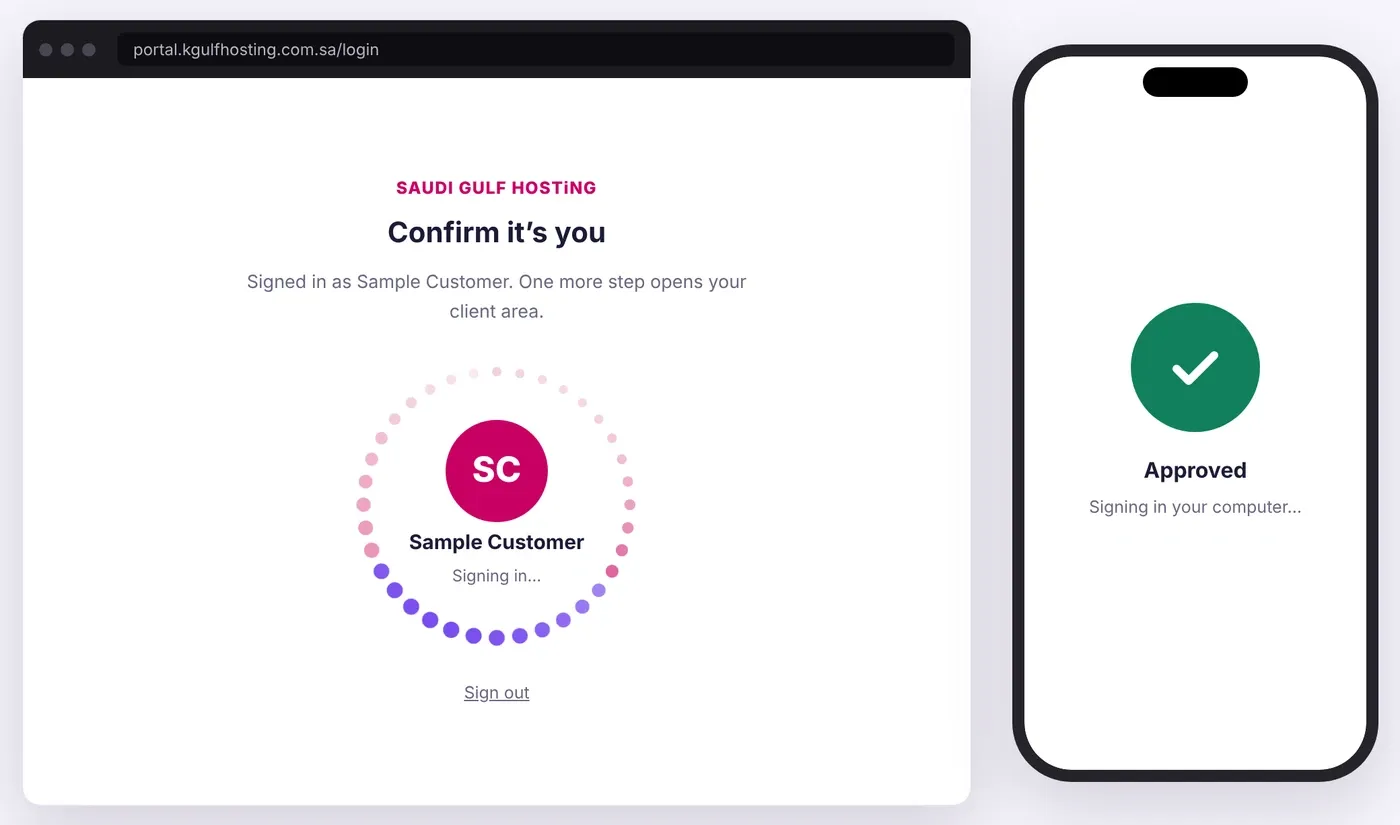
Your name inside a ring of dots while the sign-in finishes.
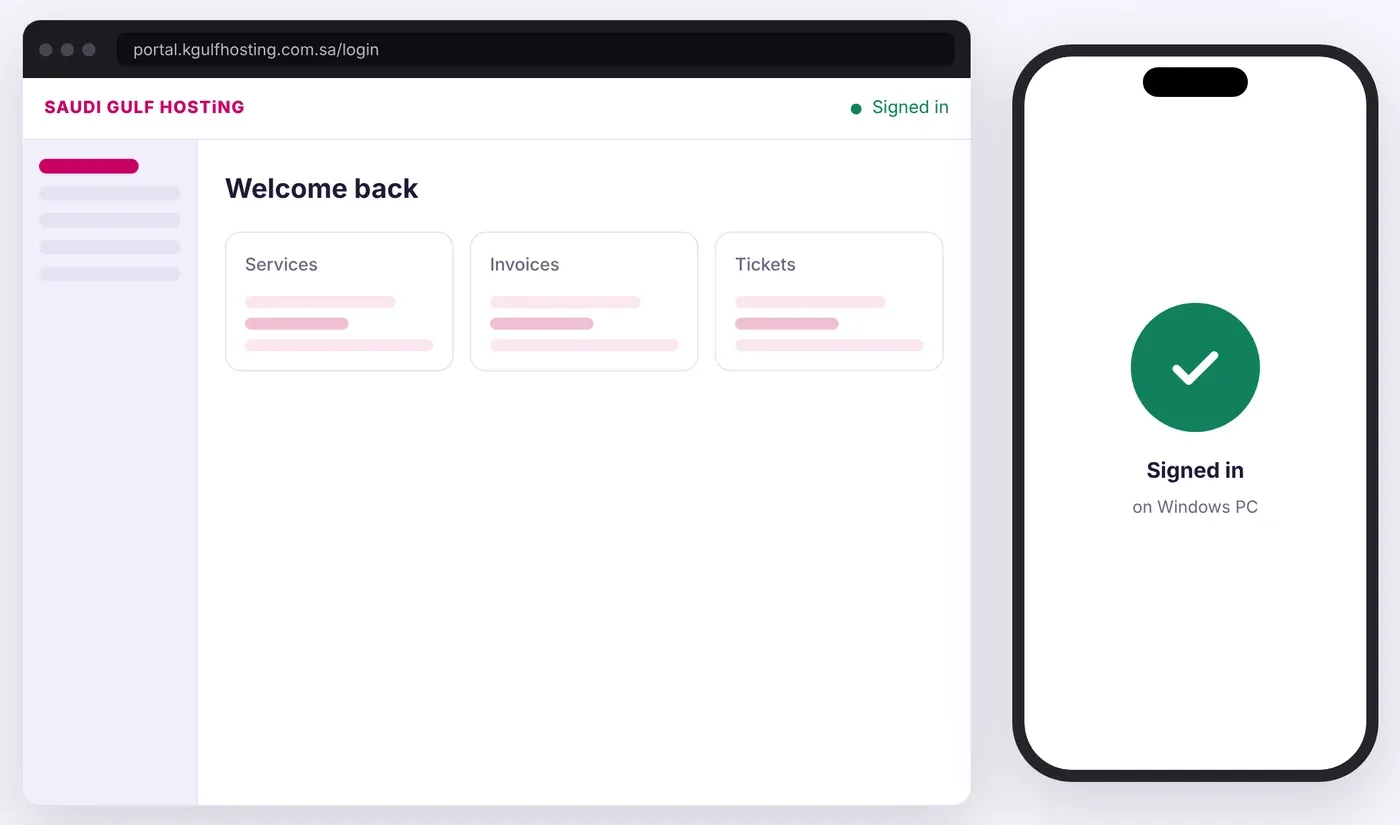
Signed in.
Security in 2026 starts with the device in your hand
Your phone already carries your bank card, your identity documents and your car key, and it already knows it is you through Face ID or your fingerprint. Using that same trusted device to protect your hosting account is simply how technology works today.
Behind the scenes this uses passkeys, an open standard built into iPhone, Android, Windows and Mac. A passkey is tied to the real address of our website, so a copy of our login page cannot use it, and it cannot be typed, shared or leaked from a list.
Fingerprint step complete.
Face ID step complete.
Built for how you work
Every sign-in screen is animated and follows your Day or Night setting. The Client Portal sign-in is available in English and Arabic.
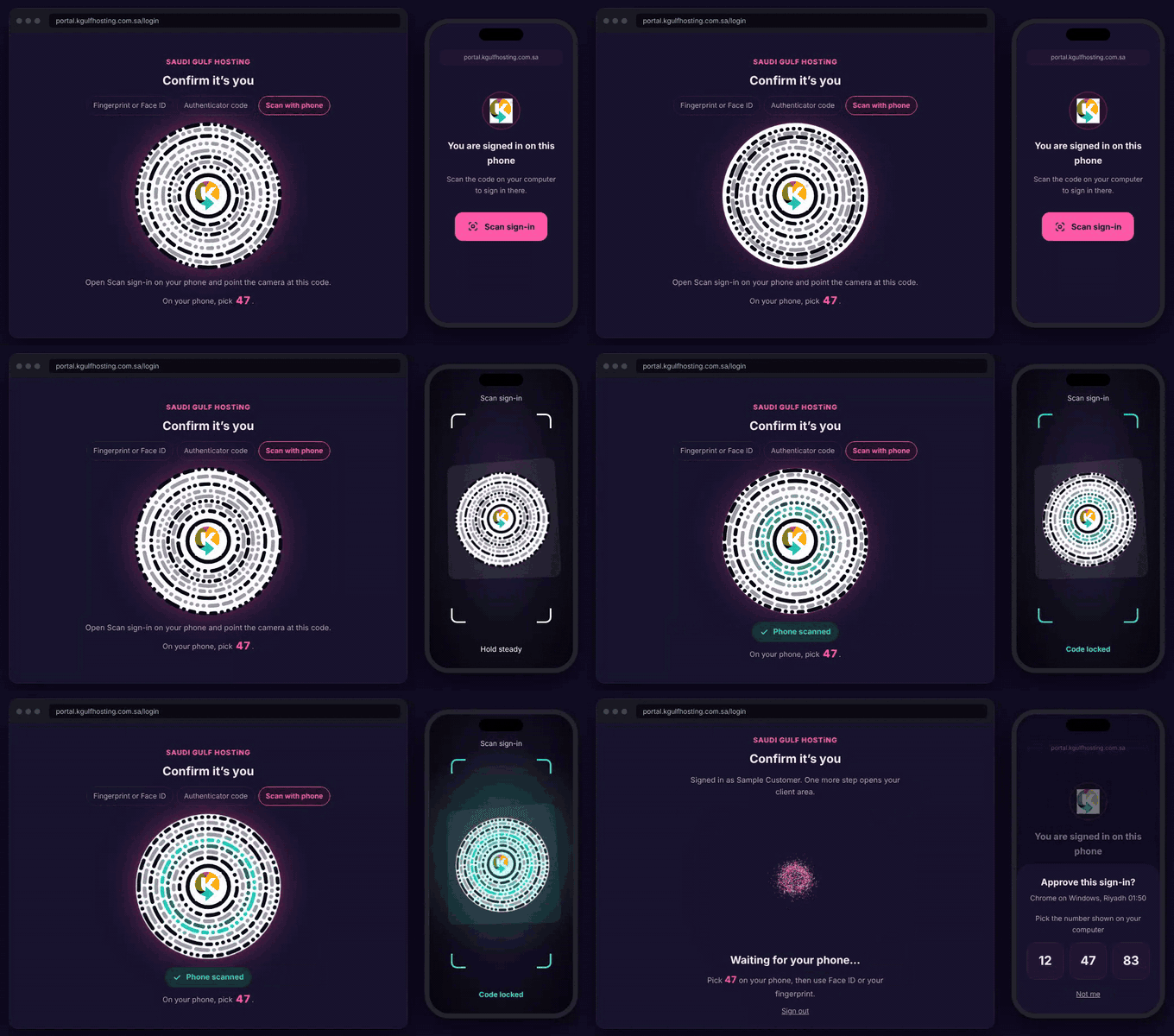
Animation: the same sign-in in Night mode.
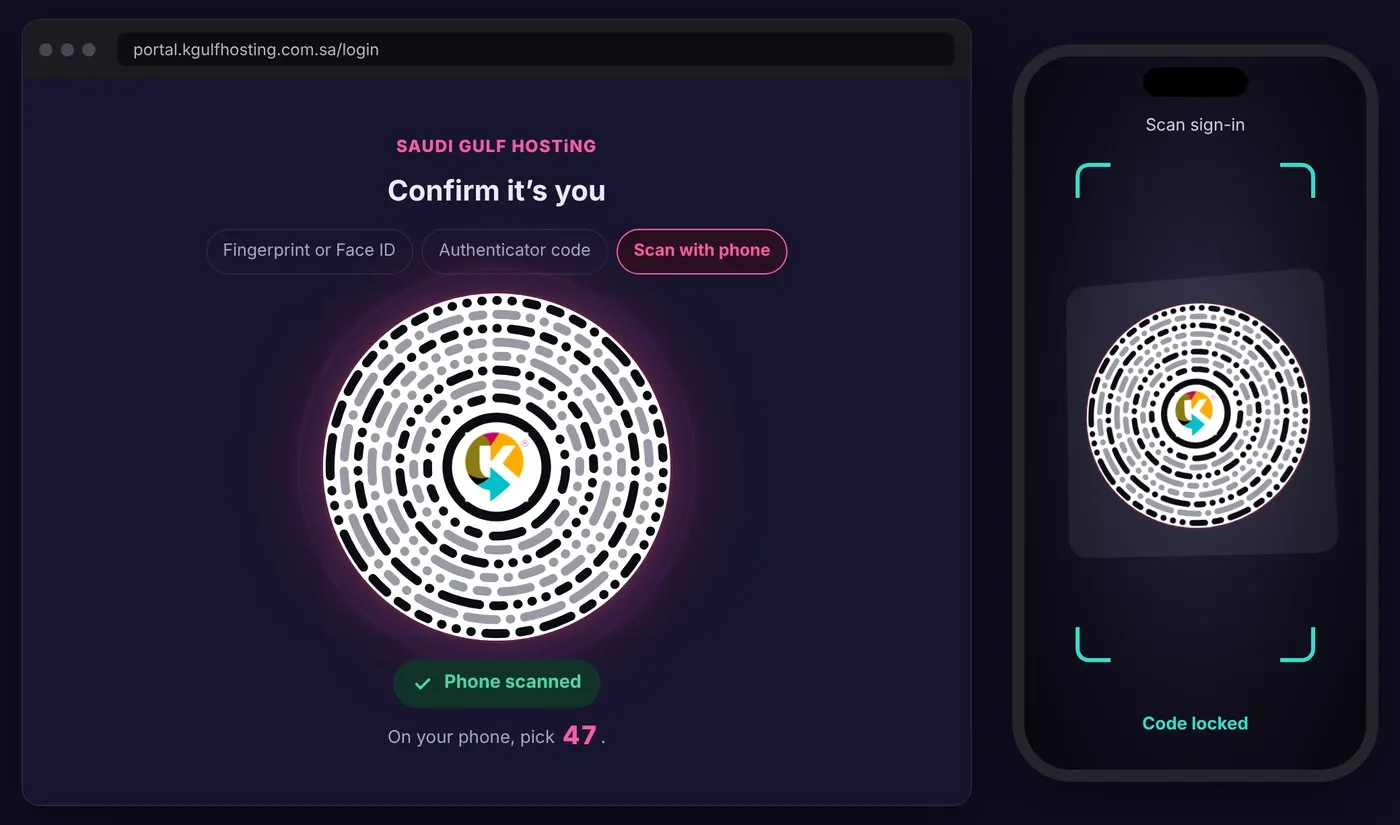
Night mode: the rings locked.
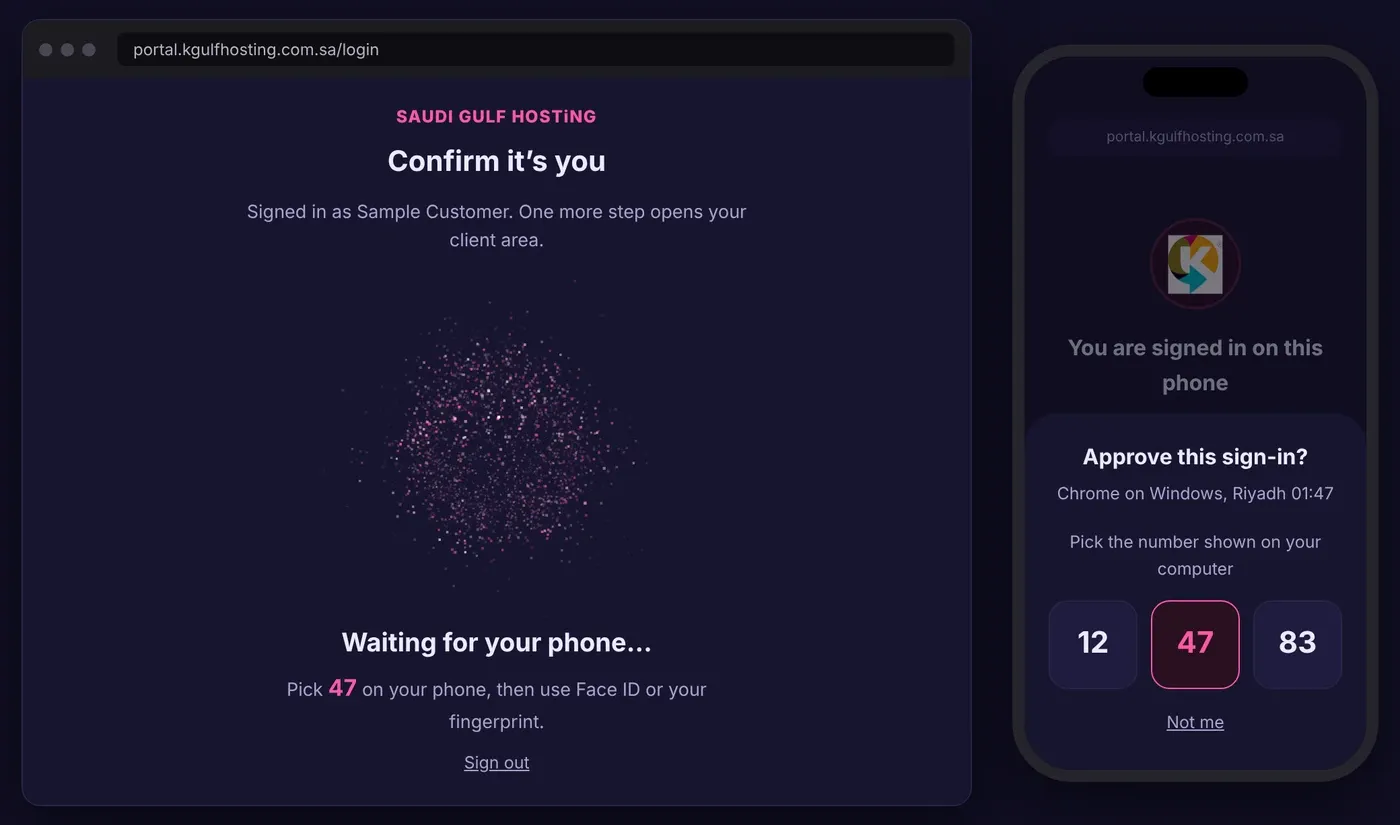
Night mode: the waiting screen.
How this changes the way we do business
Hosting is a business of trust. Uptime and speed matter, but so does the certainty that the person managing your services is you. We are therefore changing how we operate, not only what we sell.
- No account opens on a password alone.
- Our own team signs in under the same standard, and every access reset is recorded against the full names of the people who approved it.
- We treat security as part of every service we deliver, from the first sign-in onwards.
Your name inside a ring of dots while the sign-in finishes.
Signed in.
What you need to do
At your next sign-in
If you already use a fingerprint, Face ID or an authenticator app, you will simply be asked to confirm as usual. If you have no method yet, a short guided set-up appears after your password. Choose fingerprint or Face ID, the phone scan, or the authenticator code, and you are in.
If you enter the wrong code
After five wrong codes, sign-in pauses for 15 minutes and a countdown shows when you can try again.
If you change or lose your phone
Contact our support team and we will help you restore access.
On a device with no fingerprint reader, the ring code appears by itself.
Never share a sign-in code or number with anyone.
Sign in to the Client Portal: portal.kgulfhosting.com.sa/login
K® (Kenzie) of SAUDI GULF HOSTiNG, Founder and CEO